ComfyUI latest updates continue to drive innovation in node-based AI image and video generation. In the past 12 hours, while the official Comfy-Org/ComfyUI core saw no new GitHub releases or major commits, the ComfyUI community exploded with practical ComfyUI custom nodes and real-world workflows for cutting-edge models like Wan 2.2 and Flux. This roundup of ComfyUI news highlights game-changing tools that boost workflow efficiency, sampler testing, and local video generation—perfect for anyone tracking ComfyUI new features in 2026.
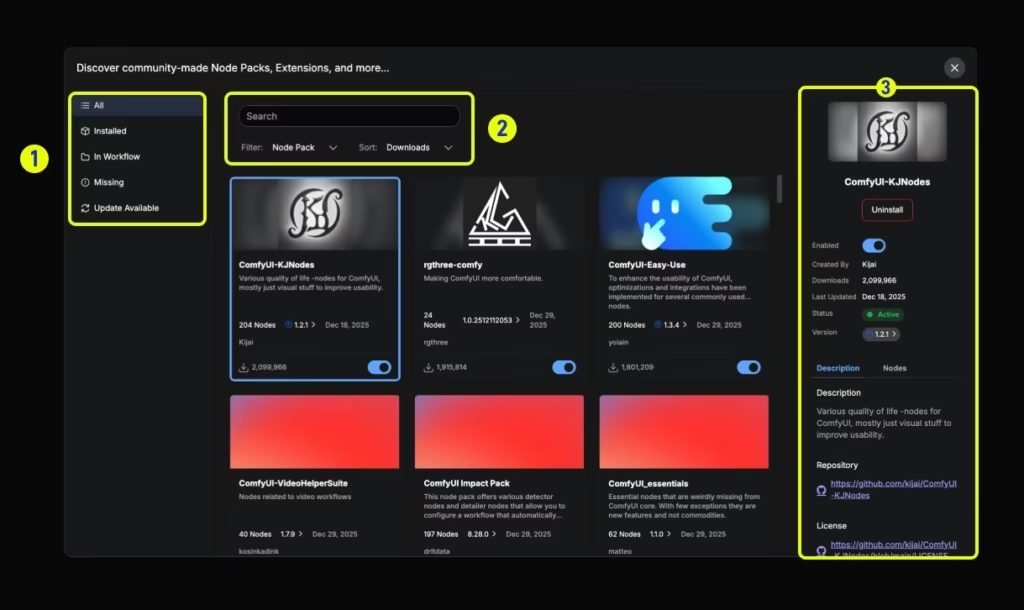
Custom nodes (new UI) – ComfyUI
Whether you’re deep into ComfyUI updates for professional pipelines or exploring ComfyUI custom nodes via the Manager, today’s highlights deliver immediate value. Let’s dive into the highest-impact developments sorted by community buzz and workflow impact.
ComfyUI-ComboFilter: Revolutionary UI Optimization Custom Node
One of the standout ComfyUI new features shared today is ComfyUI-ComboFilter, a lightweight custom node that transforms cluttered dropdowns into streamlined, personalized interfaces. Users no longer scroll through hundreds of samplers, schedulers, LoRAs, or checkpoints—filter to your favorites in seconds for lightning-fast selection.
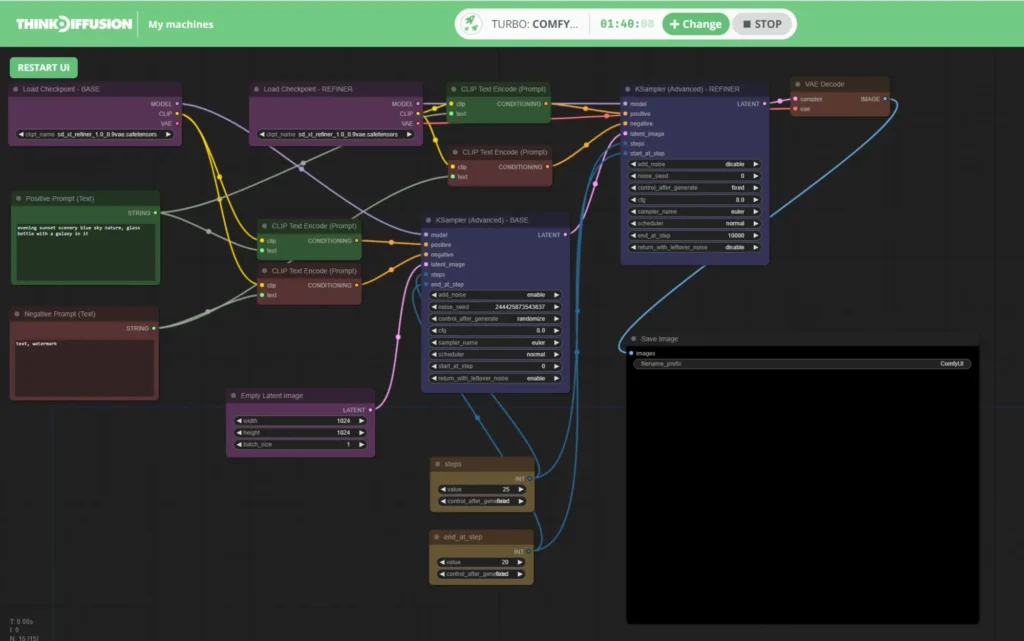
A collection of 20 cool ComfyUI workflows
Key changes and benefits:
- Dynamic filtering: Hide irrelevant options and pin your go-to samplers/schedulers (e.g., Euler, DPM++ 2M Karras) or specific LoRA packs.
- LoRA and checkpoint management: Instant access to curated lists, eliminating guesswork in massive model libraries.
- Seamless integration: Install via ComfyUI Manager; works with existing workflows without breaking changes.
- Productivity boost: Creators report 2-3x faster iteration, especially in complex multi-LoRA setups.
This node directly addresses a top pain point in ComfyUI updates—UI overload—and is already trending in Japanese and global discussions for its simplicity. Ideal for beginners and pros alike in ComfyUI custom nodes ecosystems.
Installation tip: Search “ComfyUI-ComboFilter” in the ComfyUI Manager and restart. No extra dependencies required.
Source: Shared via X by @ai_hakase_ (April 26, 2026) with detailed usage screenshots; cross-posted to Reddit r/comfyui thread on sampler/scheduler filtering.
ZIT-Sampler Lab: Parallel Sampler Comparison Tool for Precision Control
Another high-impact ComfyUI latest updates highlight is ZIT-Sampler Lab (tied to Z-Image Turbo workflows), a powerful testing suite that generates up to 16 parallel variations in a single run. Perfect for optimizing samplers and schedulers—especially with Character LoRAs—while checking likeness and consistency.
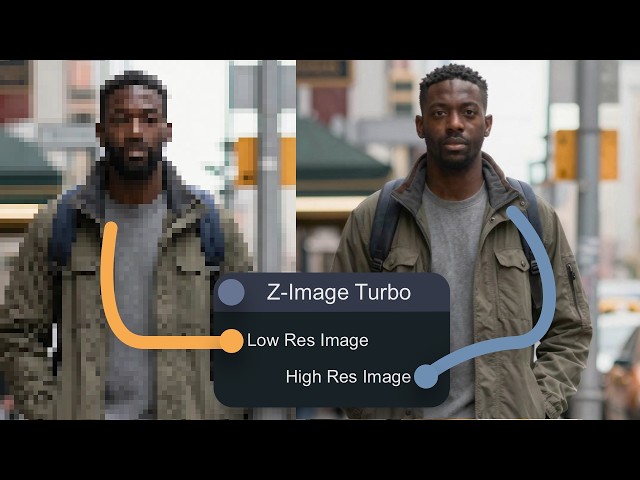
4 Ways to Upscale Images with Z-Image Turbo – YouTube
Key changes and new features:
- Batch parallel testing: Compare 14+ samplers and 10+ schedulers simultaneously with visual grids.
- Character LoRA optimization: Built-in metrics for facial consistency and prompt adherence.
- Workflow-ready: Pairs with Z-Image Turbo models and custom schedulers like CapitanZiT for ultra-stable 8-9 step generations.
- Time savings: Cut hours of trial-and-error down to one execution, ideal for production pipelines.
Community members praise it for turning “guessing games” into data-driven decisions, making it a must-have in any ComfyUI new features toolkit for 2026.
Pro tip: Combine with existing ZIT workflows for inpainting, upscaling, and LoRA merging—all togglable in grouped nodes.
Source: Highlighted in X discussions and linked Z-Image resources (April 26, 2026); detailed in r/comfyui ZIT sampler threads and GitHub custom scheduler repos.
Wan 2.2 Model Support Explodes: Native Video Workflows & Custom Node Ecosystem
ComfyUI news around open-source video generation hit fever pitch today with widespread Wan 2.2 adoption. Users are running Wan 2.2 (5B and 14B variants) locally in ComfyUI for high-quality text-to-video, image-to-video, and motion transfer—often outperforming closed models like Kling in specific scenarios.
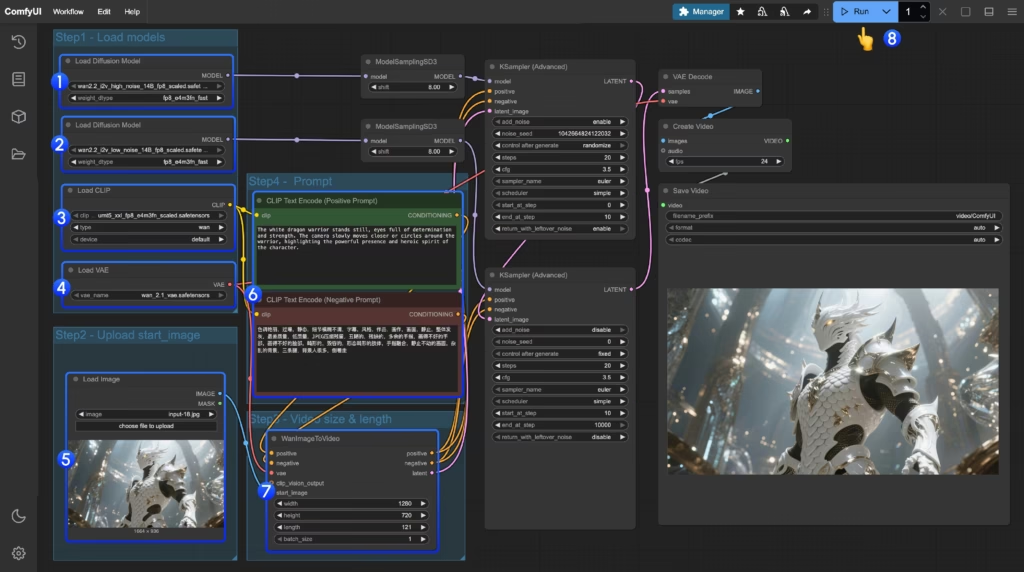
Wan2.2 Video Generation ComfyUI Official Native Workflow Example – ComfyUI
Key changes and enhancements:
- Official native support: Comfy-Org provides repackaged GGUF models and dedicated workflows for Wan 2.2 14B text-to-video and 5B hybrid generation.
- Custom node ecosystem: Essential packs include ComfyUI-WanVideoWrapper, ComfyUI-GGUF, VideoHelperSuite, and Wan22FirstLastFrameToVideoLatent for first/last frame control.
- Real-world performance: RTX 4090 users report smooth local runs; tips for ROCm/Ubuntu setups and memory cleanup nodes to handle larger resolutions.
- Motion mastery: Wan Animate shines for pose-driven animation and camera control, with users comparing it favorably to Kling Motion Control.
Flux.1 mentions continue as a stable companion for stills within these video pipelines. No core ComfyUI changes needed—everything runs via Manager-updated nodes and official templates.
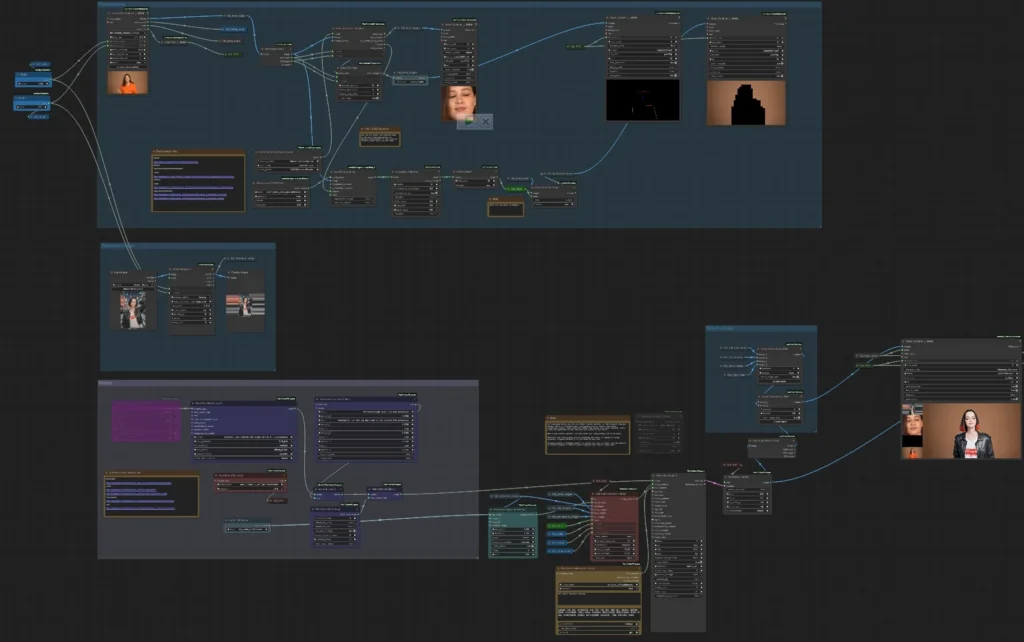
Wan 2.2 Animate V2 in ComfyUI | Pose-Driven Animation Workflow
Quick start workflow:
JSON
// Example Wan 2.2 Image-to-Video Template (load via ComfyUI)
{
  "nodes": [
    {"type": "Load Diffusion Model", "model": "wan2.2_14b_high_noise..."},
    {"type": "WanImageToVideo", "start_image": "input.jpg", "length": 121}
  ]
}Source: Active X conversations on Wan 2.2 local runs (April 26, 2026) including motion transfer examples and Ubuntu setup fixes; official ComfyUI docs and GitHub custom node repos.
Why These ComfyUI Updates Matter for Your Workflow in 2026
Today’s ComfyUI latest updates prove the platform’s strength lies in its vibrant custom node ecosystem rather than core releases alone. From ComfyUI-ComboFilter slashing UI friction to ZIT-Sampler Lab enabling scientific sampler testing and Wan 2.2 unlocking professional-grade local video, these tools keep ComfyUI ahead in the node-based AI race.
No new articles appeared on blog.comfy.org, and r/comfyui/new showed no fresh “Releases You Missed” posts in the exact window—but the real-time X buzz and workflow shares more than compensate. Install via ComfyUI Manager, explore official templates, and experiment today.
ComfyUI custom nodes like these are evolving daily. Stay tuned for more ComfyUI news, ComfyUI new features, and model integrations in future roundups.
The images used in this article are sourced from publicly available channels on the internet. They are used solely for the purposes of news commentary, visual illustration, and explanatory reference, and do not constitute commercial use. The author of this article does not own the copyright to these images and makes no claim to any rights over them. If any copyright issues arise regarding these images, please contact the article’s author, and we will promptly address the matter or remove the relevant content.