Most wallpapers don’t look impressive when presented as flat images.
They feel cheap. Static. Easy to ignore.
If you’re selling or sharing wallpapers, presentation is everything.
This ComfyUI workflow is built to solve that — turning your wallpapers into realistic device mockups with correct perspective, lighting, and composition in seconds.
Without Proper Mockups
– Your wallpapers look low-value
– Your product pages feel unprofessional
– Your Pinterest pins don’t get clicks
You don’t have a design problem.
You have a presentation problem.
Turn Flat Wallpapers Into Real Product Visuals
This workflow uses a structured three-layer compositing system:
- Device Scene Layer — real phone, tablet, or desktop environment
- Screen Overlay Layer — lock screen UI with transparency
- Wallpaper Layer — your design
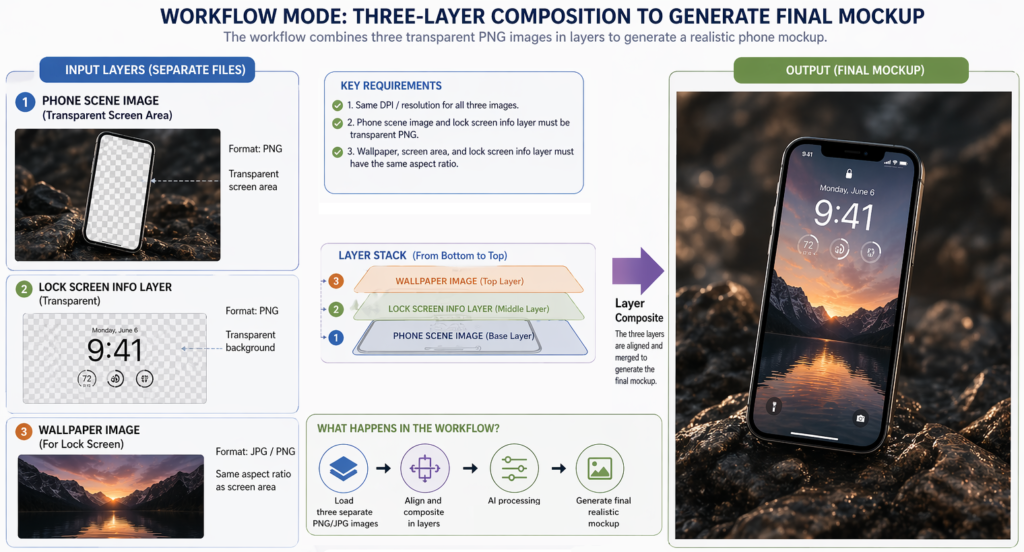
All layers are aligned using perspective correction and resolution matching, so your wallpaper naturally fits into real-world device scenes.
The result:
✔ Realistic phone mockups
✔ Natural perspective and lighting
✔ Clean, professional presentation
✔ Ready for product pages, Pinterest, and marketing
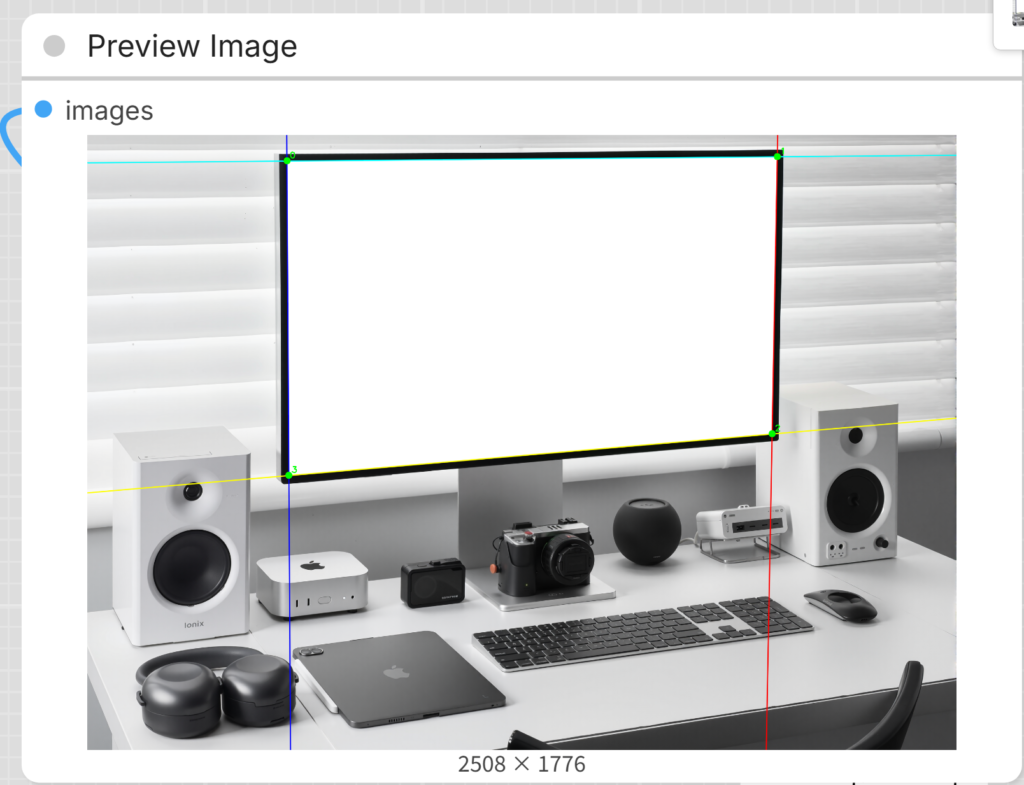
No Photoshop. No manual warping. No guesswork.
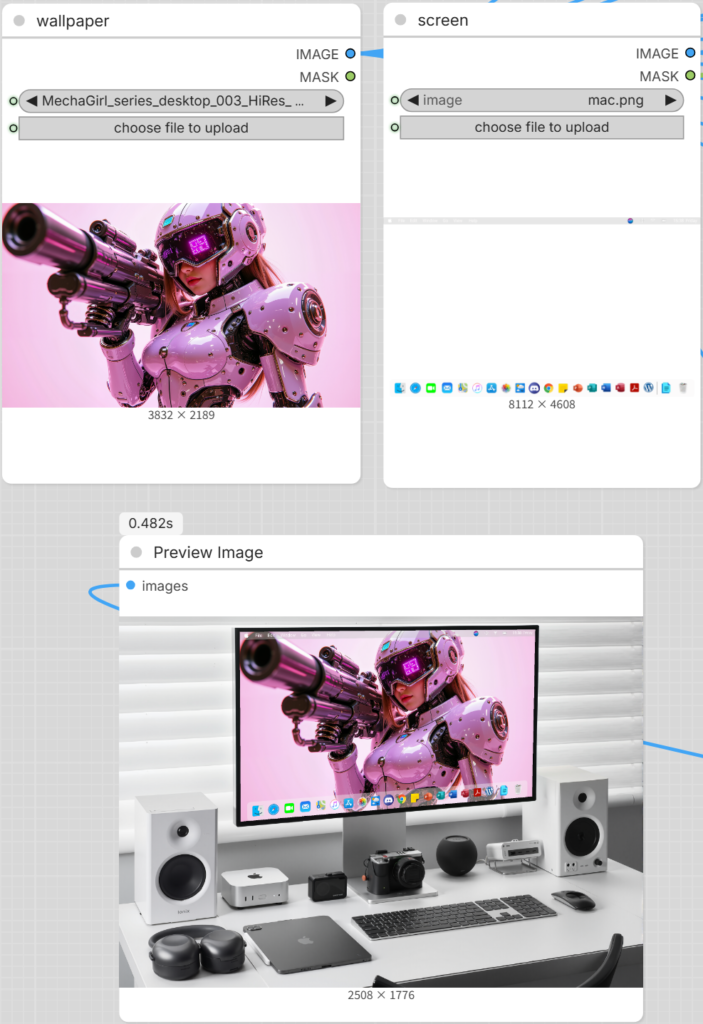
Flat Wallpaper vs Real Device Mockup
Flat images get ignored.
Realistic mockups get clicks.
What You Can Use This For
- Payhip product pages
- Pinterest pins
- Etsy or Gumroad listings
- Digital product previews
- Social media marketing
If you’re creating wallpapers for distribution or sale, this workflow gives your visuals a serious upgrade.
What Makes This Workflow Different
- Built specifically for wallpaper creators
- Supports both lock screen and desktop formats
- Perspective system ensures natural placement
- Clean output — ready to publish directly
- Batch-ready for faster content production
This isn’t just about generating mockups.
It’s about making your wallpapers look like real products people actually want to download or buy.
What’s Included
- ComfyUI Real Device Mockup Workflow (.json)
- Device scene templates (phone, tablet, desktop)
- Screen overlay & masking system
- Perspective alignment setup
Everything is designed to work together, so you don’t have to manually adjust layers or guess placements.
How It Works
- Add your wallpaper
- Apply the screen template
- Run the workflow
Done — your realistic mockup is generated automatically.
Why This Matters
Better presentation = higher perceived value.
Higher perceived value = more clicks, more downloads, more sales.
If you’re serious about selling wallpapers or building a visual brand, this is not optional.
Get the Workflow
Stop posting flat wallpapers.
Start creating visuals that actually convert.
👉 Get the ComfyUI Mockup Workflow
Get the WorkflowWho This Is For
This workflow is ideal for:
- phone wallpaper mockup creation
- iPhone wallpaper preview generation
- realistic device mockups
- ComfyUI automation workflows
Perfect for creators who want professional-level presentation without complex manual editing.