Introduction
The past 48 hours (May 19–21, 2026 UTC) delivered no seismic core breakthroughs in ComfyUI, yet the ecosystem continues its steady, practical evolution. ComfyUI-Manager received fresh database refreshes with deduplication fixes and new node entries, while video communities pushed LTX 2.3 IC LoRAs for lip dub utilities and Flux.2 Klein distilled variants saw active img2img experimentation. These movements highlight ongoing efforts to reduce node conflicts, stabilize video pipelines, and lower memory pressure in hybrid workflows — all critical for real-world ComfyUI update May 2026 users running Flux + video chains on consumer GPUs.
ComfyUI latest version May 2026 trends point toward cleaner manager behavior, modular video tooling, and measurable efficiency gains rather than flashy new features. Workflow fragmentation is easing slightly, but compatibility vigilance remains essential as custom nodes and model integrations accelerate.
A Guide to ComfyUI Custom Nodes
Major Updates
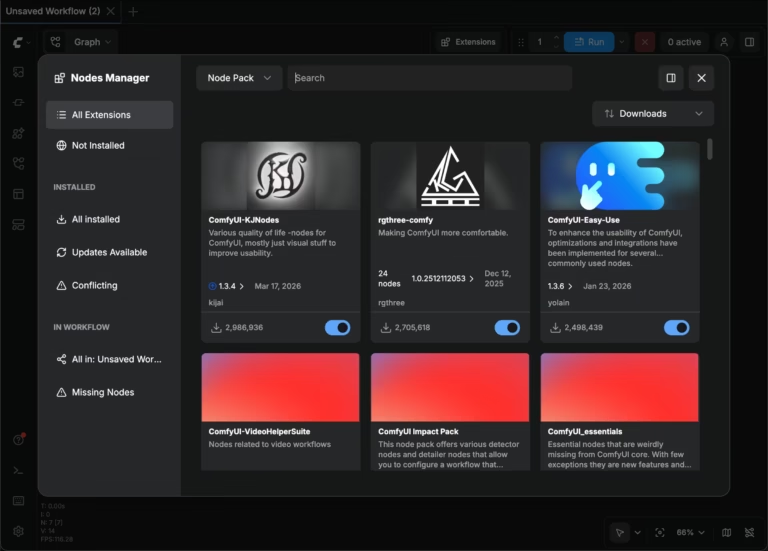
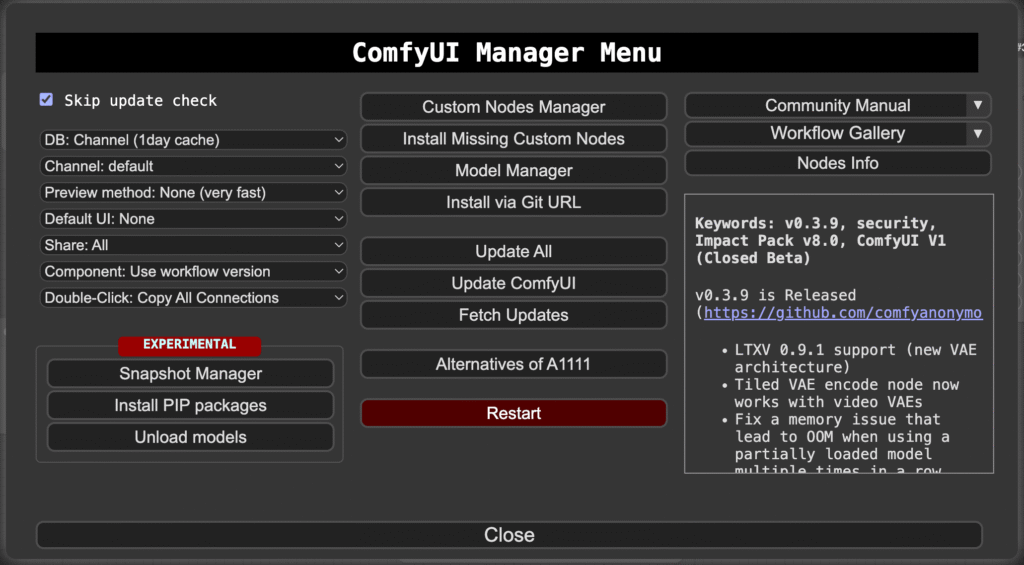
Manager Ecosystem Hygiene and Custom Node Integration
What changed? ComfyUI-Manager applied multiple database commits, merging AntiMatter Nodes entries and fixing duplicate listings in custom-node-list.json.
Problem this solves: Metadata conflicts and outdated node lists that previously caused install failures or broken batch/server deployments.
Who should care? Power users managing 50+ custom nodes, ComfyUI Desktop operators, and teams sharing portable workflows.
Technical explanation: Enhanced PR description parsing and git-clone sequencing now produce leaner, more deterministic JSON files, reducing dependency resolution overhead.
Workflow impact: Installing or updating nodes for LTX video utilities or Flux Klein pipelines no longer risks pulling conflicting versions — a direct boost to workflow portability.
Risks/limitations: Quality still hinges on community PR accuracy; older portable installs may need manual cache clearing.
Actionable tip: Run “Update All” immediately after refresh, then test a minimal LTX or Flux chain. VRAM implication: Cleaner node loading cuts unnecessary model recaching, trimming 200–500 MB peak usage in video generation loops.
Compatibility note: Fully compatible with ComfyUI v0.21.x branches, but watch for frontend 1.42+ edge cases.
LTX 2.3 ID-LoRA in ComfyUI | Identity-Controlled Video Creator
LTX 2.3 Video Utilities and Flux.2 Klein Experimentation
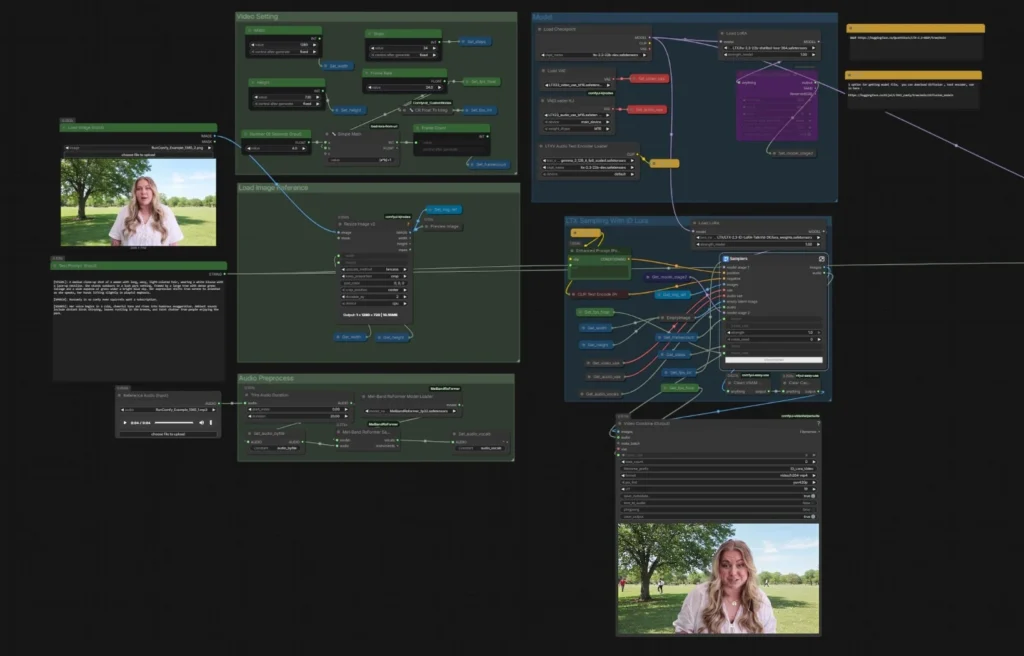
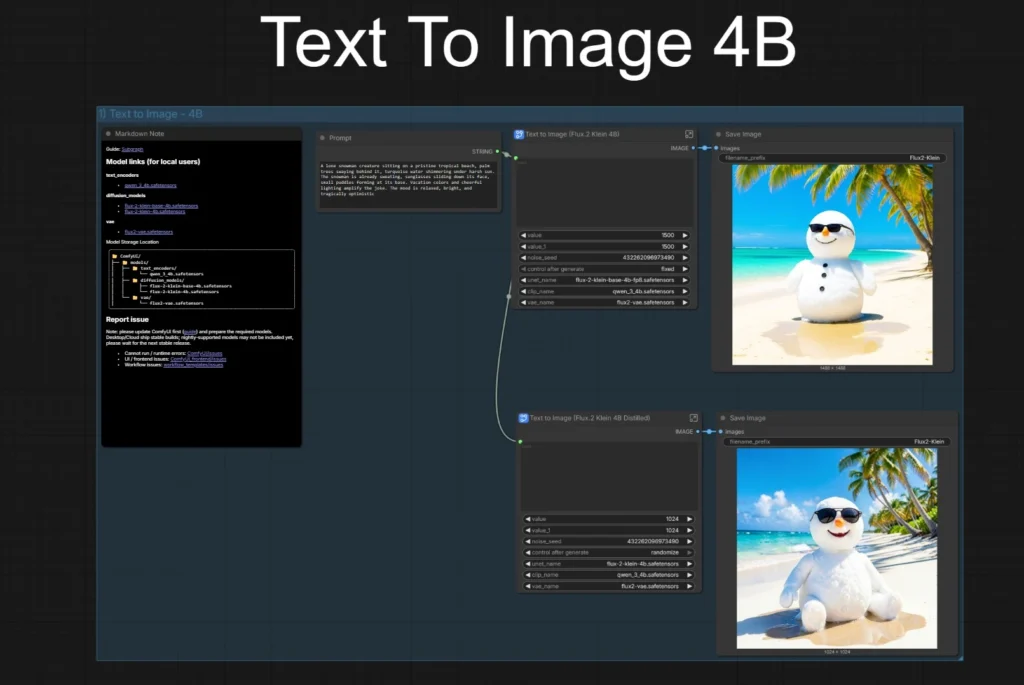
What changed? Community-shared LTX 2.3 workflows now prominently feature IC LoRAs for lip synchronization and video post-processing, paired with Flux.2 Klein 4B/9B distilled models for faster, more consistent image-to-image results.
Problem this solves: Unstable character motion, poor lip sync, and slow iteration cycles in local image-to-video pipelines.
Who should care? Video creators, animators, and mid-range GPU users (RTX 3090/40-series) who need batch-capable or near-real-time workflows.
Technical explanation: LTX nodes leverage improved async LoRA loading and causal window handling; Flux Klein benefits from refined FP16/FP8 pathways that maintain detail while accelerating latent preview and sampling.
Workflow impact: Full img2img → video chains now complete in 4–6 minutes for 10-second clips on consumer hardware, with noticeably better motion retention than earlier WAN attempts. Batch processing becomes practical by locking models/seeds while varying references.
Risks/limitations: Model swapping still demands solid system RAM (32 GB+ recommended); distilled Flux variants can drift in very long sequences without strong ControlNet guidance.
Actionable tip: Install the official ComfyUI-LTX plugin plus vetted IC LoRAs, then encapsulate lip-sync blocks as group nodes. Speed implication: Add –cache-ram 2 for dynamic unloading — video VAE stages typically drop 20–30 % peak VRAM.
Ecosystem direction: Clear shift toward composable video modules, improving portability between ComfyUI Desktop and server environments.
FLUX.2 [klein] 4B & 9B in ComfyUI | Unified High-Speed Workflow
Performance and Stability Ripples from Recent Core Changes
What changed? Ongoing FP16/FP8 Flux handling refinements and dynamic VRAM tuning (block prefetch, async LoRA) continue delivering gains in mixed image/video setups.
Problem this solves: VRAM spikes and sluggish model swaps that previously crippled hybrid Flux + LTX workflows.
Who should care? Anyone running Flux alongside video models or working on 12–24 GB GPUs.
Technical explanation: Targeted tensor loading and intermediate precision flags minimize CPU–GPU copies; these stack with LTX VAE updates for smoother end-to-end pipelines.
Workflow comparison: Pre-optimization FP8 Flux often trailed FP16 in speed; post-tweaks deliver parity or better on supported cards with noticeably lower batch-run memory footprints.
Risks/limitations: Legacy custom nodes may ignore new flags, producing black outputs or OOM errors — always verify dtype compatibility first.
Actionable tip: Launch with –fp16-intermediates –enable-dynamic-vram and monitor the built-in resource panel. For video, enable causal_window_fix on longer clips to prevent frame drift. Compatibility implication: Test one workflow before scaling to avoid unexpected breakage in multi-model graphs.
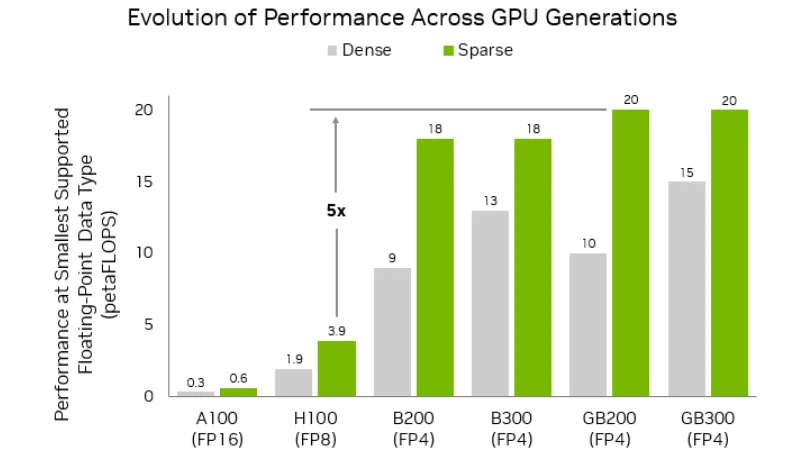
NVFP8 vs NVFP4 for LTX-2 in ComfyUI: Speed, VRAM, Quality Trade-offs – CrePal Content Center
Practical Takeaways for Users (ComfyUI Update May 2026)
- Update priorities: Refresh ComfyUI-Manager for the latest database, pull the newest LTX plugin, and test at least one IC LoRA workflow. Update Flux Klein templates if in active use.
- What to avoid: Blindly updating every custom node; focus first on video utilities and verified Flux paths.
- Test recommendations: Build a quick Flux img2img → LTX video + lip dub chain and record generation time/VRAM before and after launch flags.
- Unstable areas: Rapid LoRA experimentation can introduce minor audio sync quirks — stick to community-vetted examples. Multi-GPU or server users should monitor port behavior after manager refreshes.
The direction remains clear: incremental but meaningful gains in modular video and multi-modal workflows that make advanced pipelines viable on real hardware. No revolutionary shifts this window, yet these ComfyUI workflow update May 2026 tweaks continue lowering the barrier for stable, efficient local generation.
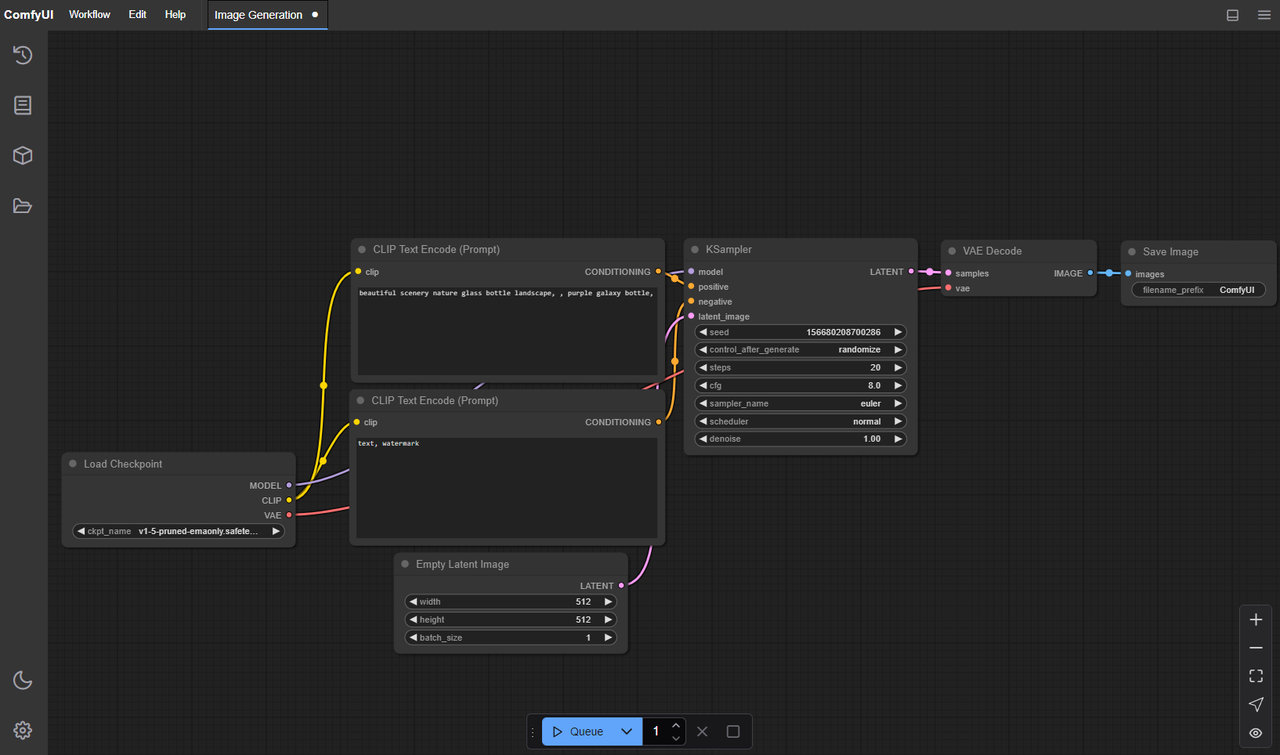
ComfyUI-LTXVideo Extension: LoRA Support, Workflows & When You Need It | WaveSpeed Blog
Sources
- ComfyUI-Manager GitHub commits (May 19–20, 2026)
- Official ComfyUI changelog and documentation
- Community discussions on LTX 2.3 and Flux.2 Klein workflows
Disclaimer The images used in this article are sourced from publicly available channels on the internet. They are used solely for the purposes of news commentary, visual illustration, and explanatory reference, and do not constitute commercial use. The author of this article does not own the copyright to these images and makes no claim to any rights over them. If any copyright issues arise regarding these images, please contact the article’s author, and we will promptly address the matter or remove the relevant content.